You might not realize that even subtle environmental factors like shifting shadows or distant tree movements can trigger your motion sensor unnecessarily. These sensors rely on detecting changes in infrared or pixel patterns, making them highly sensitive to non-threatening stimuli. Understanding what causes these false alarms is essential to improving your device’s accuracy. But what specific conditions and settings are most responsible for these misleading detections?
How Motion Detection Technology Works
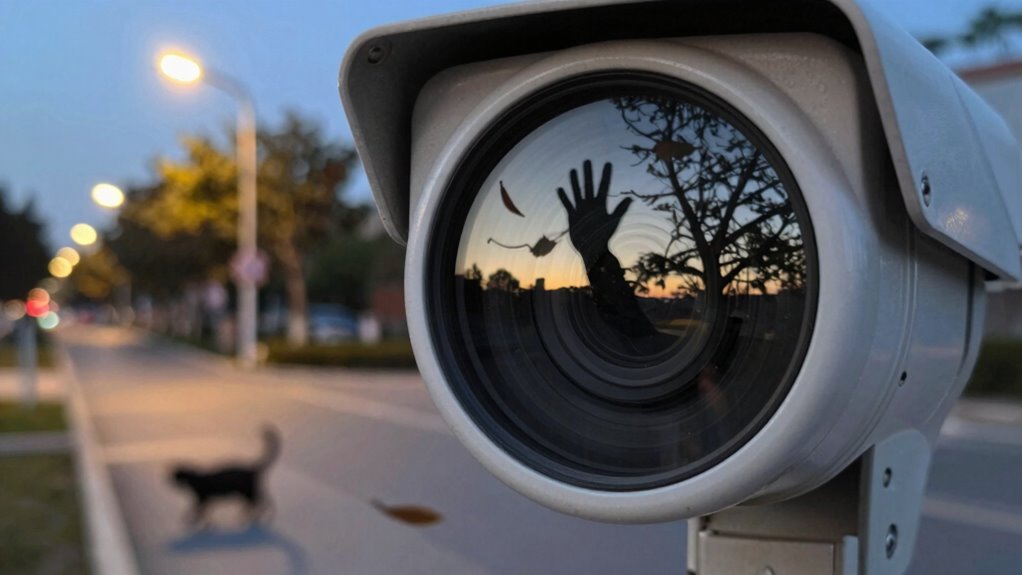
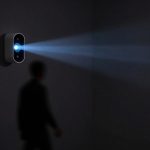
Motion detection technology relies on sensors to identify changes in a monitored environment, typically by detecting variations in infrared radiation, light, or pixel movement. When you use such systems, motion detection algorithms analyze sensor data to distinguish genuine motion from background noise.
These algorithms process signals by comparing sequential frames or sensor readings, pinpointing significant changes indicating movement. Recent sensor technology advancements have enhanced sensitivity and accuracy, allowing better differentiation between relevant motion and environmental fluctuations.
Algorithms analyze sequential data to detect movement, improved by advanced sensors distinguishing true motion from environmental noise.
For instance, modern infrared sensors can detect minute temperature changes, while optical sensors track precise pixel alterations in video feeds. These improvements reduce latency and improve detection reliability.
However, the effectiveness of motion detection hinges on the integration of robust algorithms with advanced sensors, ensuring prompt and accurate alerts. Understanding these technical foundations helps you appreciate how motion detection systems endeavor to balance sensitivity and specificity, minimizing missed detections while maintaining low false alarm rates.
Common Causes of False Motion Detection
You’ll often encounter false motion detection due to environmental factors like wind or shifting shadows that disrupt sensor accuracy.
Improper sensor placement can also lead to frequent false alarms by exposing the device to irrelevant movement.
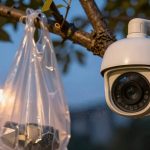
Additionally, animal interference commonly triggers motion sensors, complicating reliable detection.
Environmental Factors
Although advanced sensors improve accuracy, environmental factors often trigger false motion detection.
Temperature fluctuations can cause sensor components to expand or contract, leading to inconsistent readings. Rapid changes in temperature may mimic the thermal signature of moving objects, causing the sensor to register motion inaccurately.
Similarly, varying humidity levels can interfere with the sensor’s infrared detection capabilities. High humidity can scatter infrared signals, reducing sensor sensitivity, while condensation on the sensor lens may distort the detected signals.
Dust, rain, or fog combined with these factors further degrade sensor performance. Understanding these environmental impacts is essential for interpreting sensor data accurately and minimizing false alarms caused by non-motion-related environmental changes.
Proper calibration and environmental compensation techniques can help mitigate these issues effectively.
Improper Sensor Placement
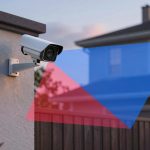
When sensors aren’t positioned correctly, their ability to detect motion accurately can be severely compromised.
Improper sensor placement often leads to false alarms or missed detections. To optimize performance, you need to focus on:
- Sensor angles: Incorrect angles can cause the sensor to pick up irrelevant movements outside its intended coverage, triggering false alerts.
- Installation height: Mounting sensors too high or too low affects their detection range and sensitivity, leading to poor motion recognition.
- Avoiding obstructions: Placing sensors near objects like walls or furniture can interfere with their field of view, causing inconsistent detection.
Animal Interference
Since many motion sensors detect heat and movement, small animals like cats, birds, or rodents can easily trigger false alarms.
When you install motion sensors, you need to evaluate local wildlife encounters that might cause frequent activations. These sensors are designed to pick up infrared radiation, which animals emit, causing the system to mistake them for human intruders.
To minimize false triggers, adjust the sensor’s sensitivity or position it away from common animal pathways. Additionally, using sensors with pet immunity features can reduce interference from small animals.
Understanding how wildlife encounters impact sensor performance helps you optimize your system’s accuracy, preventing unnecessary alerts and enhancing security reliability. Proper calibration and strategic placement are key to reducing false activations caused by animal interference.
How Lighting Changes Trigger False Motion Alarms
You’ll notice that sudden brightness fluctuations, like headlights or passing clouds, can easily trigger false motion alarms by altering the sensor’s perception of the environment.
Shadows shifting due to moving objects or changing light angles create dynamic patterns that the system may interpret as motion.
Understanding these lighting factors is vital for optimizing detection accuracy and reducing false alerts.
Sudden Brightness Fluctuations
Although motion detectors are designed to sense movement, sudden changes in brightness can easily trick their sensors, causing false alarms. When you encounter brightness variations, such as sudden glare from reflective surfaces or rapid shifts in ambient light, the sensors interpret these as motion.
To understand how this happens, consider these key factors:
- Intense light sources creating sudden glare can overwhelm the detector’s sensor.
- Rapid shifts between light and dark environments cause abrupt sensor adjustments.
- Flickering or unstable lighting systems introduce inconsistent brightness levels.
These fluctuations cause the detector to register false positives, as it confuses brightness changes with actual movement.
To minimize false alarms, you should guarantee stable lighting conditions and avoid placing detectors near highly reflective or variable light sources.
Shadows and Light Patterns
How do shifting shadows and changing light patterns cause false motion alarms? When your motion sensor relies on shadow detection, it interprets variations in light intensity as movement.
As natural or artificial light sources change—due to cloud cover, passing vehicles, or indoor lighting adjustments—these fluctuations create varying shadow patterns. This light interference disrupts the sensor’s baseline, triggering false positives.
Your sensor’s sensitivity to subtle changes means even minor shifts in light angles or intensity can cause it to register motion erroneously. To minimize this, verify your motion detector is calibrated to distinguish between genuine physical movement and light pattern changes.
Understanding how shadow detection and light interference affect sensor accuracy helps you troubleshoot and reduce false motion alarms effectively.
How Weather Conditions Affect Motion Detection Accuracy
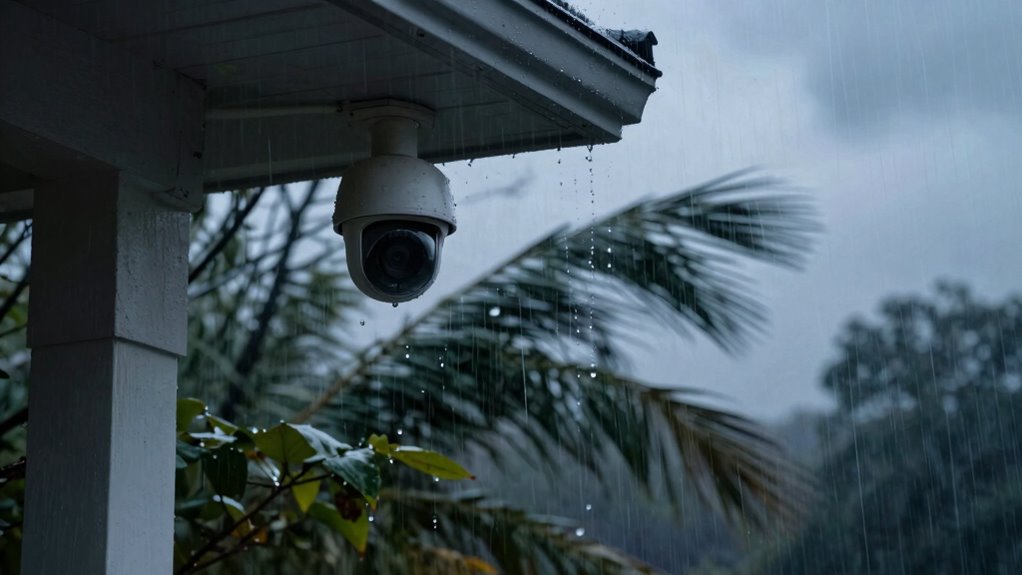
Since motion detection systems rely on changes in the environment to identify movement, weather conditions like rain, snow, fog, and strong winds can greatly impact their accuracy.
You’ll notice that rain effects often cause false triggers as raindrops create rapid, random changes in the sensor’s field of view. Similarly, wind interference can move foliage or debris, producing motion signals unrelated to actual intrusions.
Here are three key weather-related factors affecting motion detection:
- Rain Effects: Droplets reflect infrared and visible light differently, causing sensors to misinterpret them as movement.
- Wind Interference: Moving branches and loose objects generate consistent false positives by simulating motion.
- Fog and Snow: These reduce sensor visibility and create visual noise, degrading detection precision.
Understanding these factors helps you optimize system placement and settings, reducing false alarms caused by adverse weather.
How Shadows and Reflections Fool Your Camera
You mightn’t realize that shifting shadows can trigger your camera’s motion sensor by mimicking actual movement.
Similarly, reflections from windows or shiny surfaces can create false alerts by producing sudden light changes.
Understanding how these factors affect detection helps you adjust your camera settings for more accurate monitoring.
Shadow Movement Impact
Although shadows and reflections may seem harmless, they can greatly disrupt motion detection systems by creating misleading visual cues. When your camera encounters dynamic shadow patterns, it struggles to differentiate between actual object movement and mere light variations. This leads to frequent false alarms and unreliable monitoring.
Key factors influencing shadow movement impact include:
- Shadow Detection Sensitivity: Cameras with high sensitivity may interpret subtle shadow shifts as motion.
- Shadow Pattern Complexity: Irregular or rapidly changing shadow patterns increase detection errors.
- Lighting Conditions: Variable light sources cause shadows to move unpredictably, confusing the system.
Understanding how shadow movement affects shadow detection helps you optimize your camera settings, reducing false triggers without compromising security accuracy.
Reflective Surface Effects
Beyond shadows, reflective surfaces present another significant challenge for motion detection systems. When your camera encounters reflective surfaces like windows, mirrors, or polished metals, light bounces unpredictably, causing sudden brightness changes.
These fluctuations can be misinterpreted by the sensor as motion, triggering false alarms. The sensor performance is particularly affected by the angle and intensity of incoming reflections, which may create transient highlights or ghost images.
To mitigate these issues, you need to understand how reflective surfaces distort the sensor’s input, causing inconsistent luminance patterns. Adjusting sensor sensitivity or employing advanced algorithms that differentiate between genuine motion and reflection-induced artifacts can enhance accuracy.
Recognizing and compensating for reflective surface effects is essential for reliable motion detection in complex environments.
How Pets and Small Animals Cause False Alerts

When pets and small animals enter the detection zone, their unpredictable movements and heat signatures often trigger false alerts in motion detection systems. Understanding pet behavior and animal size is essential to mitigating these false positives.
Smaller animals emit less heat but move erratically, confusing infrared sensors. Larger pets generate significant heat but their typical patterns might be mistaken for intruders.
Here’s why pets and small animals cause false alerts:
- Erratic Movement: Sudden, unpredictable motions from pets trigger motion sensors designed to detect consistent human movement patterns.
- Heat Signature Variability: Animal body heat differs in intensity and distribution, causing infrared sensors to misinterpret the signals.
- Size Thresholds: Detection algorithms calibrated for human size may still respond to smaller animals if sensitivity isn’t properly adjusted.
How Camera Placement Influences False Motion Detection
Since camera placement directly affects the field of view and environmental factors captured, improper positioning can markedly increase false motion detection.
When you select camera angles that include busy or reflective surfaces, such as windows or shiny objects, the sensor might misinterpret light changes as motion. Placement strategies should prioritize stable, unobstructed views with minimal exposure to transient elements like shadows or sudden lighting shifts.
Mounting cameras too low can capture movement from small animals or foliage, triggering false alerts. Conversely, overly high angles might reduce detection sensitivity for relevant targets.
You should also consider the camera’s detection range and angle of view; wider angles can increase susceptibility to irrelevant motion within the frame.
To minimize false detections, position cameras where motion is predictable and consistent, avoiding areas prone to sporadic environmental changes.
How Background Movement and Clutter Impact Detection
Although you might’ve optimized camera placement, background movement and clutter can still greatly affect motion detection accuracy. Background disturbances like swaying trees, moving shadows, or passing vehicles introduce dynamic elements that confuse the detection algorithms.
Even with ideal camera placement, dynamic backgrounds like swaying trees can still disrupt motion detection accuracy.
Effective clutter analysis is essential to distinguish relevant motion from irrelevant background activity.
To minimize false motion detection caused by background movement and clutter, consider these key factors:
- Environmental Assessment: Identify persistent background disturbances to adjust detection zones accordingly.
- Dynamic Background Filtering: Implement algorithms that adapt to repetitive movements, reducing sensitivity to predictable background changes.
- Clutter Analysis Techniques: Use advanced image processing to segment and classify objects, improving differentiation between true motion and background noise.
How Sensor Sensitivity Settings Affect False Alarms
If you set sensor sensitivity too high, your system will likely register insignificant movements as triggers, leading to frequent false alarms.
Sensor calibration is critical to verify your device accurately distinguishes between relevant motion and environmental noise. When you perform sensitivity adjustments, you’re fundamentally defining the threshold at which motion is detected. Setting this threshold too low makes the sensor overly reactive, capturing minor movements like leaves or shadows. Conversely, too high a threshold might cause genuine motion to go unnoticed.
Accurate sensor calibration requires testing in the actual environment where the sensor operates, considering factors like lighting and background activity.
You’ll want to methodically adjust sensitivity settings, monitoring the rate of false alarms versus missed detections. This balance verifies ideal performance.
Keep in mind that improper sensitivity adjustments can undermine the reliability of your motion detection system, so precise calibration is crucial for minimizing false positives without compromising detection accuracy.
Tips to Reduce False Motion Detection on Your Device
When you want to minimize false motion detection, start by optimizing your device’s placement to avoid common sources of interference like moving branches, direct sunlight, or reflective surfaces. Proper positioning greatly reduces erroneous triggers.
Next, apply sensor calibration techniques to fine-tune the device’s sensitivity to environmental conditions. This enhances motion detection improvements by aligning the sensor’s responsiveness with actual motion patterns.
Fine-tune sensitivity through sensor calibration to ensure precise detection matching real motion patterns.
Finally, regularly update your device’s firmware, as manufacturers often release algorithms designed to reduce false alarms by refining detection logic.
- Position sensors away from dynamic backgrounds and heat sources to limit false positives.
- Use sensor calibration techniques to adjust sensitivity based on your environment, ensuring accurate detection.
- Keep firmware up-to-date to benefit from motion detection improvements and optimized algorithms.
Frequently Asked Questions
Can False Motion Detection Drain My Security Camera’s Battery Faster?
Yes, false motion detection can drain your security camera’s battery life faster due to increased power consumption. The camera activates unnecessarily, causing more frequent recording and transmissions, which greatly reduces overall battery efficiency and runtime.
Do Different Camera Brands Vary in False Motion Detection Rates?
You’d think every camera brand has sensitivity settings as finely tuned as a Swiss watch, but brand comparison analysis shows false motion detection rates vary widely due to hardware, software algorithms, and customizable camera sensitivity settings.
Is False Motion Detection More Common Indoors or Outdoors?
You’re more likely to encounter false motion detection indoors due to indoor factors like HVAC airflow and pets, while outdoor factors such as moving foliage and shadows also cause errors, though typically less frequent than indoor disturbances.
How Does Motion Detection Affect Video Storage Capacity?
Motion detection triggers recording only when movement occurs, reducing video compression load and enabling storage optimization. This approach minimizes unnecessary footage, helping you efficiently manage video storage capacity without compromising essential surveillance data.
Can False Alarms From Motion Detection Void My Camera’s Warranty?
No, false alarms from motion detection usually don’t void your camera’s warranty. However, warranty policies vary, so frequent alarm triggers caused by improper use or modifications might affect coverage. Always check specific terms to be sure.