Lighting an empty office all night is pure waste, and across millions of commercial buildings that waste adds up to a serious slice of electricity use. Occupancy sensors attack the problem at its root: instead of relying on people to remember switches, they watch the space and cut power the moment it is empty. They are among the simplest energy-saving devices ever deployed — and one of the most cost-effective, often paying for themselves within a year or two.
How they save energy is less obvious than it sounds. It is not just “lights off when nobody is there.” The sensing technologies, the timeout logic, the distinction between occupancy and vacancy modes, and the way they integrate with HVAC all determine how much energy is actually saved — and why a badly configured sensor can annoy everyone while saving almost nothing.
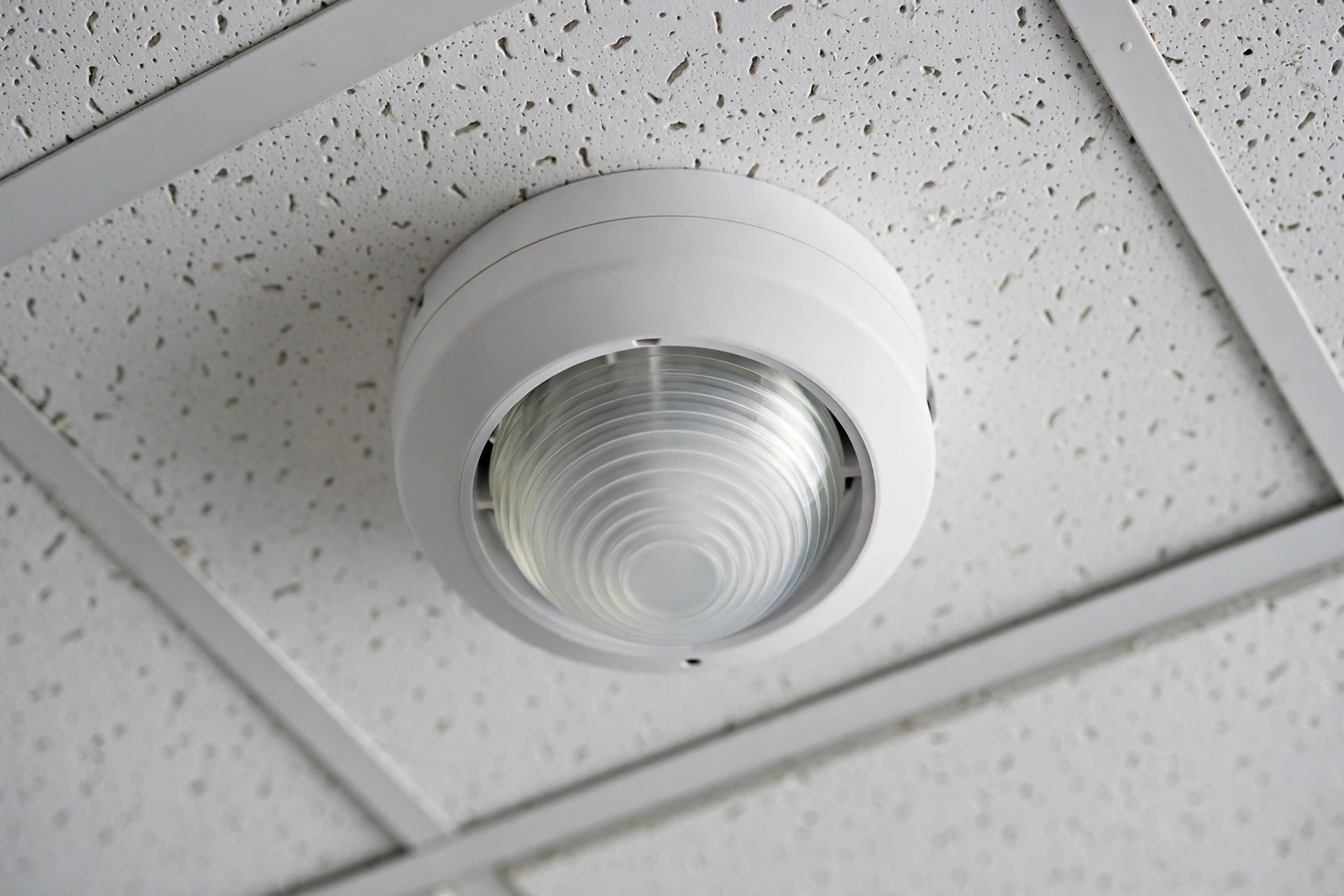
What Occupancy Sensors Actually Detect
An occupancy sensor answers a subtly different question than a motion sensor. A motion sensor reports movement; an occupancy sensor reports presence. That distinction matters because people sitting still — reading, typing, watching a presentation — barely move, yet the room is very much occupied. The better sensors are designed around this problem: they must be sensitive enough to catch the small motions of a seated person (a head turn, a hand lifting a coffee cup) while ignoring everything else.
This is also where motion detection versus presence detection becomes a practical engineering choice rather than a semantic debate. A corridor only needs to know someone is passing through; an office needs to know someone is still there. The timeout — how long after the last detected motion the sensor declares the room empty — is the main tuning knob, and getting it wrong in either direction costs money or patience.
The Three Sensing Technologies
Almost every occupancy sensor uses one of three technologies, or a combination of two.
Passive infrared (PIR)
PIR sensors detect the infrared heat of a human body moving against the cooler background. They are cheap, sip power, and work well for major motion like walking into a room. Their weakness is exactly the seated-occupant problem: a still person radiates heat but creates no change for the sensor to see. PIR also needs a clear line of sight; partitions, tall shelving, and even a monitor can hide an occupant. This is the same physics behind how PIR sensors detect humans in security applications, just applied to lighting control.
Ultrasonic
Ultrasonic sensors flood the room with high-frequency sound — typically around 40 kHz, far above hearing — and listen for the Doppler shift in the reflections. Any movement, even the small motions of someone typing, shifts the returning frequency. They do not need line of sight and can sense around partitions, which makes them excellent for restrooms and open offices with cubicles. The trade-off: they are more prone to false triggers from air currents, vibrating HVAC diffusers, or even a strongly fluttering curtain.
Dual technology
Dual-tech sensors combine PIR and ultrasonic (or PIR and microwave) and require both to agree before switching lights on, while allowing either to keep them on. This gives the best of both: reliable turn-on without false triggers, and sensitive keep-on that does not strand a seated worker in the dark. They cost more, but in spaces where false-offs are disruptive, they are the standard recommendation.
How Detection Becomes Energy Savings
The savings come from eliminating the long tail of wasted runtime: lights burning through lunch hours, meeting rooms lit between bookings, restrooms glowing all night, corridors at full brightness when empty. A sensor with a well-chosen timeout — often 15 to 30 minutes for offices — trims all of that automatically. Field studies routinely report lighting energy reductions in the tens of percent, with the biggest savings in intermittently used spaces like restrooms, storage rooms, and conference rooms — precisely the rooms where manual switching discipline is worst, because nobody feels responsible for a light they only use for two minutes.
The same presence signal increasingly drives HVAC setbacks too. A conference room’s ventilation and cooling can relax when the room is empty and recover before the next meeting. Because heating and cooling dwarf lighting in most buildings’ energy budgets, even modest HVAC integration multiplies the sensor’s value — which is why modern building codes treat occupancy sensing as infrastructure, not an accessory.
Vacancy Mode vs. Occupancy Mode
Here is a distinction most people never notice but building codes care about deeply. In occupancy mode (auto-on/auto-off), the sensor turns lights on when you enter and off when you leave. In vacancy mode (manual-on/auto-off), you turn the lights on with the switch yourself, and the sensor only turns them off. Vacancy mode saves more energy — on a bright day you might never touch the switch — and it is required by code in a growing number of jurisdictions, including California’s Title 24 and recent versions of ASHRAE 90.1 and the IECC for many space types.
The logic is behavioral: auto-on lights up every space fully the instant anyone steps in, even someone just grabbing a stapler. Manual-on means the occupant makes a conscious choice, and daylight or a neighboring room’s spill light is often enough. Studies of manual-on behavior consistently find that a meaningful share of occupants simply never switch the lights on when daylight suffices — savings that auto-on can never capture because the decision is made for them. If your office lights seem to demand a switch press every morning, that is not a malfunction — it is the more efficient mode doing its job.
Codes, Placement, and Common Mistakes
Energy codes now mandate occupancy or vacancy sensing in most commercial space types, which is why these sensors are everywhere in new construction. But a sensor only saves energy if it can actually see its space. The classic mistakes: mounting a PIR sensor where an open door puts corridor traffic in its view (lights trigger for passersby), placing ultrasonic sensors near HVAC diffusers (air movement keeps lights on forever), and setting timeouts too long “to be safe” — a 30-minute timeout on a restroom visited for two minutes wastes nearly all the potential savings.
Environmental conditions reduce detection reliability in subtle ways too: a PIR sensor in a sun-baked room full of warm surfaces struggles to pick out a human heat signature, and its range shrinks. Commissioning — walking the space, adjusting sensitivity and timeout, verifying coverage — is the unglamorous step that separates sensors that save 40% from sensors that just blink.
The Payback Math
A commercial occupancy sensor costs roughly $20 to $80 for the device plus installation, which is why the economics are so favorable. Consider a small office where 400 watts of lighting burn 12 hours a day but the space is actually occupied for 7: the sensor reclaims about 5 hours of runtime daily. At typical commercial electricity rates, that is on the order of $50–$100 per year in lighting savings alone from a single room — a payback period typically measured in months, not years. Scale that across restrooms, corridors, break rooms, and conference rooms, and a mid-size office building can recover a whole-floor sensor retrofit in under two years.
The math gets even better when sensors are networked rather than standalone. A networked lighting system reports actual occupancy patterns, letting facility managers spot chronically underused space, right-size cleaning schedules, and verify that HVAC setbacks are really happening. At that point the sensor stops being just a light switch and becomes a data source for running the building — which is exactly how a $40 device ends up in the capital plan.
Frequently Asked Questions
What is the difference between an occupancy sensor and a vacancy sensor?
An occupancy sensor turns lights on and off automatically. A vacancy sensor only turns them off automatically — you switch lights on manually. Vacancy mode saves more energy and is required by code in many places.
How much energy do occupancy sensors actually save?
It depends on the space, but lighting savings in the range of 20–60% are commonly reported, with intermittently occupied rooms like restrooms and storage areas at the high end. HVAC integration can add further savings.
What timeout should I set?
Fifteen to thirty minutes suits most offices — short enough to capture real savings, long enough to avoid nuisance switch-offs. Restrooms and corridors can go shorter; spaces where people sit still for long periods need the longer end or dual technology.
Why do the lights turn off while I am still in the room?
Usually a PIR-only sensor that cannot see your small movements, a timeout set too short, or furniture blocking the sensor’s view of you. Switching to dual technology or adjusting placement and sensitivity fixes most cases.
Do occupancy sensors work with LED lights?
Yes, and they pair especially well: LEDs reach full brightness instantly and tolerate frequent switching far better than fluorescents, so there is no warm-up penalty or lamp-life concern with aggressive timeouts.